
RPE Construction Work Plan Software
Stop rebuilding spreadsheets for every major construction activity.
Organize your project's drawings, specifications, RFIs, submittals, materials, and safety requirements once. Build detailed work plans by section and task, coordinate responsibilities, monitor preparation readiness, and produce professional field-ready documents.
Built for project managers, superintendents, and project engineers.
Every construction mistake costs time. Crews stop, materials get replaced, work gets demolished, subcontractors return, and management scrambles to recover. A properly prepared Construction Work Plan identifies these problems before execution begins.

Crews stop and materials get replaced when nothing was verified before mobilization.

Unresolved RFIs and conflicting requirements turn into demolition and return trips.

Nobody owns the preparation, so problems surface in the field instead of the office.

Safety requirements and inspection hold points get discovered after the crew starts.
Problems found after the crew is mobilized — when they cost the most to fix.
Identify missing information, conflicting requirements, and unresolved hold points before work begins — not after the crew is in the field.
We took an established construction-management practice and built software to make it easier to implement. The business case is already proven: accident prevention, rework reduction, improved productivity, accountability, and better field coordination.
OSHA recommends identifying hazards before work begins and at each step of the job. Job hazard analysis exists to help prevent injuries.
The Construction Industry Institute associates effective front-end planning with reduced costs, less project variability, and better project outcomes.
Construction planning research shows that identifying constraints and making tasks ready before execution improves workflow and helps avoid interruptions and rework.
The Construction Work Plan
We're not trying to replace your construction management system. The Construction Work Plan is a focused tool that lets your project manager, superintendent, and project engineer prepare coordinated work plans without learning an enormous platform — simple enough to use on every major activity.
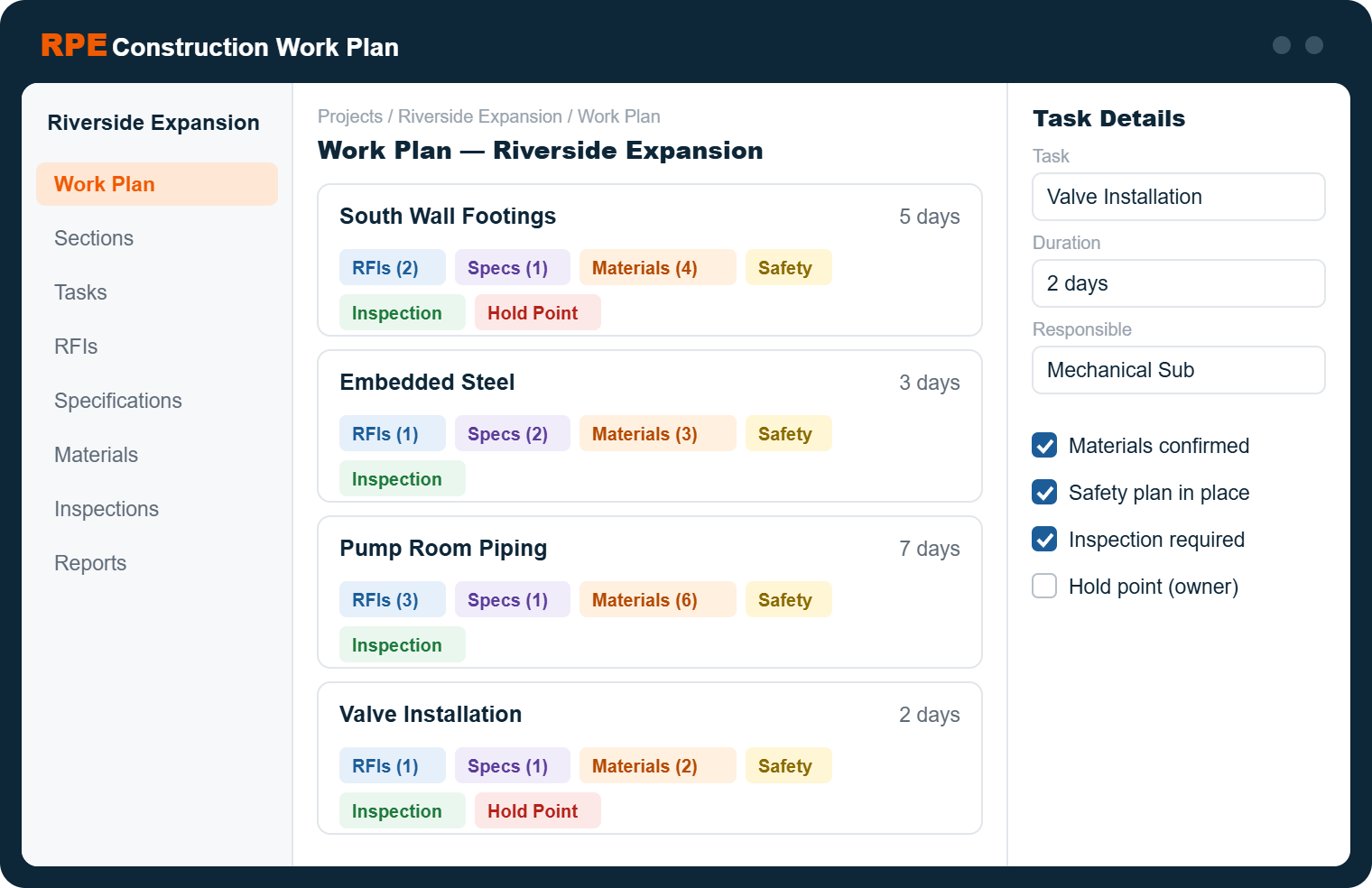
Management visibility into whether required work plans are prepared before construction starts.
An owner or operations manager can open a project and see, at a glance, which work plans are field-ready, what is still in progress, and what is missing — materials, drawings, specifications, RFIs, submittals, inspections, equipment, safety plans, personnel qualifications, and approvals.

No registration required. Demonstration project data.
Organize the work by area, system, or sequence to match how you build.
Turn scope into clear, actionable tasks with all the key details in one place.
Link relevant RFIs and spec sections so the field has the right information.
Identify required materials and verify readiness before you mobilize.
Build in safety steps, required inspections, and project hold points.
Set expected durations in hours or days to keep the work on track.
How It Works
Turn your project scope into a practical, field-ready Construction Work Plan in five steps.
Set up your project and basic information.
Organize the scope and break it into field-ready tasks.
Attach the information your team needs to execute the work.
Define who is doing the work and how long it should take.
Use the Work Plan to coordinate, execute, and stay ahead.
Introductory Pricing
Introductory pricing while we onboard our first contractors. Simple, contractor-focused plans — no enormous platform to learn.
Individual contractor or small project team
General contractors and larger subcontractors
Company-wide deployment
Introductory pricing. Billed monthly. Pricing in USD.
FAQ
No. Your CPM schedule (Primavera P6 or Microsoft Project) tells you when the work happens. The Construction Work Plan defines how it gets done — the tasks, information, materials, safety steps, inspections, and responsibilities the field needs before the work starts.
Yes. Each section and task links to the RFIs and specification sections that apply, so the crew works from the right information instead of hunting for it.
Yes. It was built by a construction project manager for the people who run the work — superintendents, PMs, and project engineers — and it follows the way field teams actually plan.
Yes. Subcontractor scopes are planned in the same section-and-task format, so everyone works from one consistent plan and one standard.
No. The Construction Work Plan is a focused planning tool. Keep your existing platforms — this is where your team prepares and coordinates the work before execution.
Yes. Owners and operations managers can see which work plans are field-ready, in progress, or missing information before construction starts.
These are introductory prices while we onboard our first contractors. Request access and we will confirm your plan by email.
See how the Construction Work Plan from Remote Project Engineer can help your team plan better, coordinate earlier, and execute with confidence.
Request a Demo
Tell us about your team and projects. We'll follow up by email with a walkthrough built around your scope.